
Our Groceries Shopping List
OurGroceries, Inc.Shopping
4.714.57K Reviews
- Version
- Varies With Device
- Installs
- 1.00M
- Age Rating
- Everyone
Screenshots
Our Review of Our Groceries Shopping List
 Analysis by Appyee
I like a shopping app best when it helps me get through an ordinary errand without asking me to reorganize my life around it. Our Groceries Shopping List is aimed at that simple job: keeping a household’s shopping notes together and making them useful while people are out buying things. It is a free shopping app from OurGroceries, Inc., and its focus is practical rather than elaborate. If you have ever arrived home with the groceries you remembered and still forgotten the one thing you actually needed, this is the kind of tool that can make the next trip feel less haphazard.
What to expect from a shared shopping list
The basic appeal is that a list can be more than a note trapped on one person’s phone. In a shared household, whoever notices that coffee is running low can add it, and whoever goes to the shop later can check what is still needed. That small change matters most when people shop at different times or split errands. I would think of this as a practical coordination tool, not a meal-planning system or a supermarket’s product catalogue.
The app has a 4.7 average from around 55,000 ratings, and it has been installed over a million times. Those figures suggest that its straightforward purpose resonates with plenty of shoppers, but they do not mean it will suit every household. Its content rating is Everyone, and although the app is free to start using, it offers in-app purchases ranging from $0.99 to $17.99 per item. I would make my decision based on whether the shared-list routine fits my needs, rather than assuming that a large audience means every extra option is essential.
Getting started without overthinking it
First things first, setting up Our Groceries Shopping List is a breeze. You just download it from the app store, and boom, you’re ready to roll. No complicated sign-ups or lengthy tutorials. It’s designed to be as straightforward as jotting down a list on paper, but with a modern twist.
For a first run, I would make one list for the next real shop instead of trying to build a perfect household inventory. Add the few things you already know you need, then invite the person who most often shares the errand or notices what has run out. Starting small makes it easier to see whether everyone remembers to use the same list. If the household puts items in several different places—messages, a note on the fridge, and a personal phone reminder—the app cannot help much until people agree that it is the shared place to check.
Your first useful trip
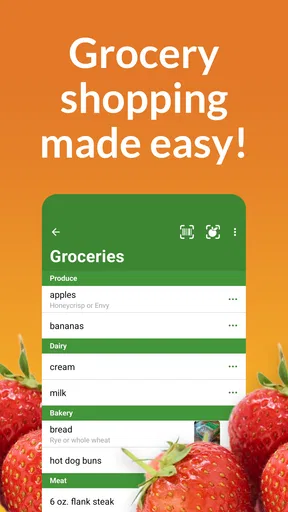
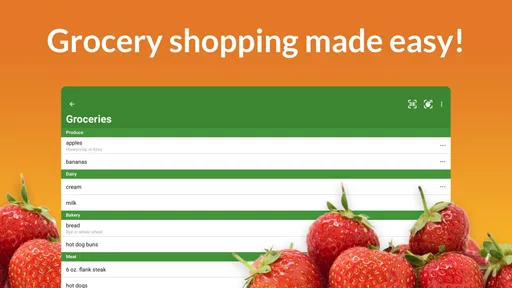
Now, let’s dive into what sets this app apart. The main feature, obviously, is creating shopping lists. You can add items super quickly, and they’re automatically sorted into categories. This means less time wandering around the store like a lost puppy. Plus, if you’re anything like me, you often forget what you need when you’re actually at the store. This app saves you from that embarrassment.
A good first test is a familiar grocery run with a short list: a few staples, one ingredient for dinner, and something another person in the household requested. Add items as they come to mind, then use the list while shopping instead of copying it onto paper. Automatic categories can make scanning the list more natural than sorting every item yourself, though I would still glance through the whole list before leaving. A category cannot rescue an item that nobody remembered to add.
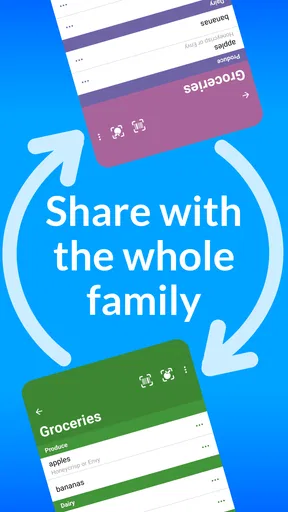
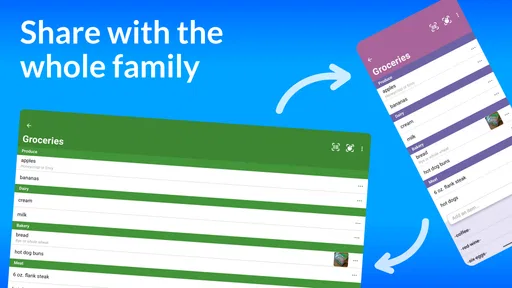
One of my favorite features is the shared lists. You can sync your list with family or roommates, so everyone knows what’s needed. No more duplicate purchases or missing items because someone forgot to tell you they used the last of the milk.
Sharing works best with a household habit
Sharing is most useful when everyone treats the list as the place to record changes, not just as the shopper’s checklist. A simple household rule helps: if you finish something that should be replaced, add it then, rather than expecting the next shopper to notice. That is especially helpful for items used by several people, such as breakfast basics or cleaning supplies. It also prevents a common snag with any shared list: two people can only coordinate around information that someone actually entered.
For a realistic example, imagine one person is cooking dinner while another is already near the shop. The cook realizes there is no rice and adds it; the shopper checks the shared list before paying. Later, a roommate can add detergent for a separate errand without sending a message that might be overlooked. This is where the app can replace a string of small interruptions. It is less helpful if a household rarely checks its phones while shopping or if one person prefers to keep their own list private and separate.
Voice entry and lists beyond food
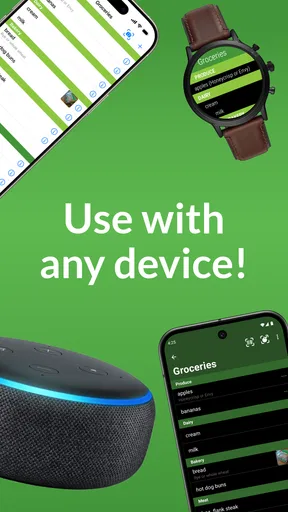
Another cool aspect is its integration with smart assistants like Amazon Alexa and Google Assistant. You can add items to your list just by speaking. Imagine cooking and realizing you’re out of spices – just tell Alexa, and it’s done. It’s like having a personal assistant who remembers everything for you.
Voice entry is a useful shortcut when your hands are busy, but I would treat it as an alternative input method rather than a replacement for checking the list. If an item is unusual or has a specific brand, size, or variety, reviewing the wording before shopping is sensible. A quick spoken note is great for capturing the reminder in the moment; careful details matter more when the shopper needs to choose between similar products.
While the app is called "Our Groceries," it’s not limited to just that. You can create lists for anything. Planning a party? Need a packing list for your vacation? It handles all of that seamlessly. It’s like a Swiss Army knife for lists.
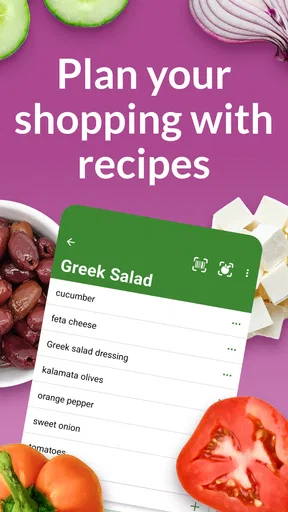
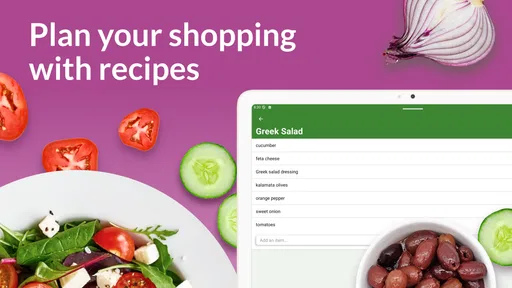
That flexibility can be useful without turning every task into a project. I would keep a grocery list for recurring household needs and make a separate list for a one-off event, such as party supplies, so the two errands do not get mixed together. A packing list can also be handy for collecting things over several days. The trade-off is that a general list app will not automatically plan a menu or tell you what to buy for a recipe; it is strongest when you already know the items you want to remember.
Where it fits—and where it may not
“Our Groceries Shopping List takes the chaos out of shopping and replaces it with simplicity and efficiency.”
Compared with paper and other list apps
Paper remains a perfectly reasonable choice for someone who shops alone, writes a short list, and likes crossing items off by hand. It is immediate and needs no shared routine. The advantage here is that a household can contribute to one list from separate phones, so the person who notices a missing staple does not need to find the paper or send a message. Compared with a general notes app, this app is more directly shaped around shopping, including automatic categories; a plain note may be preferable if you want complete control over formatting or already keep all household reminders in one place.
It is also worth separating a list manager from a grocery service. If your main goal is to browse a retailer’s catalogue, compare product prices, place an order, or arrange delivery, a supermarket or delivery app is a better fit. This app is for remembering and coordinating what to buy, not for choosing where to buy it. That distinction keeps expectations realistic: it can make the errand more organized, but it does not remove the need to shop or decide which product is right.
Small details that can prevent shopping mistakes
Plus, the app works offline, so you’re not left hanging if you lose signal in the depths of the supermarket. And let’s not forget the ability to add photos to items, which is perfect for those specialty items you can never seem to remember.
Those two details are most valuable in specific situations. Offline access is reassuring in a shop with poor reception, while an item photo can help distinguish something visually specific that is hard to describe in a short label. I would use a photo for a specialty product or a package that someone else needs to recognize, rather than adding pictures to every basic item. That keeps the list easy to scan and makes the visual reminder earn its place.
Another practical habit is to be precise only where precision changes the purchase. “Apples” may be enough for a flexible household shop, while a particular spice or a preferred version of a staple deserves extra detail. The list is a memory aid, so the right level of description depends on who will be shopping. A shared list used by different people benefits from clearer wording than a private list written for someone who already knows what each shorthand means.
Who will get the most from it
I would recommend giving it a try if you share groceries with family or roommates, regularly split shopping duties, or tend to remember needs at inconvenient moments. It can also suit someone who wants a single place for shopping and occasional non-grocery lists without adopting a larger planning system. Its simple premise is a strength for people who want to add a reminder and get on with their day.
I would skip it, or at least compare it with another option, if you shop alone and a scrap of paper already works reliably, if you need detailed meal planning, or if you expect a retailer-linked ordering experience. It may also be a poor fit when other household members will not participate: sharing only pays off if everyone contributes and checks the list. In that case, the convenience of a personal note can outweigh the theoretical benefit of a group tool.
As a shopping app, it occupies a useful middle ground between paper and a full grocery-shopping service. It adds shared access and organization without asking me to turn a simple errand into a broader workflow. That restraint is appealing, although shoppers who want more automation around menus, recipes, or purchasing should look elsewhere rather than expecting a list to do those jobs.
Worth trying for a calmer routine
Overall, if you’re looking for a way to streamline your grocery shopping and make life a little less chaotic, this app is worth a try. It’s user-friendly, efficient, and packed with features that make everyday tasks easier. So, next time you’re heading to the store, leave the paper list behind and let Our Groceries Shopping List do the heavy lifting for you. Happy shopping!
My practical suggestion is to judge it after a normal shop, not after building a long list of hypothetical uses. Add a few real items, share the list with one regular shopping partner, and see whether the categories, voice entry, offline access, or photos solve a problem you actually have. If the habit sticks, the app can quietly reduce the little coordination failures that make household errands frustrating. If it does not, there is no need to force a system that adds another place to check.
For a first-time user, the meaningful success is modest: arrive at the shop with the essentials recorded, make the purchases without relying on memory, and have the next person able to see what remains. That is a clear, achievable test of whether this particular list app belongs in your routine. Its free starting point makes trying that workflow straightforward, while optional purchases are there for people who want to explore beyond the basic use.
Verdict
Strengths of Our Groceries Shopping List
- Simple and intuitive interface.
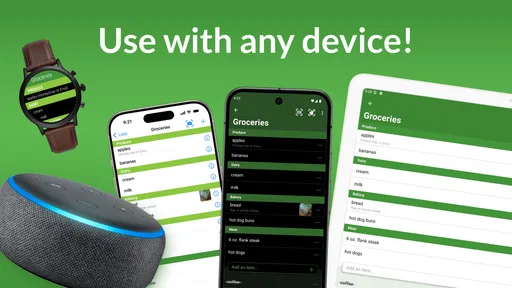
- Syncs across devices seamlessly.
- Supports multiple shopping lists.
- Share lists with family easily.
- Voice input for quick entries.
Limitations of Our Groceries Shopping List
- Lacks barcode scanning feature.
- No offline mode available.
- Ads can be intrusive.
- Limited customization options.
- No recipe integration.
Similar Picks in This Category
View All
SHEIN-Shopping Online
Roadget Business PTE. LTD.4.8

Amazon Shopping
Amazon Mobile LLC4.4


Mercado Libre: Compras online
Mercado Libre4.8

Wish: Shop and Save
Wish US Holdings LLC4.7

Alibaba.com - B2B marketplace
Alibaba Mobile4.4
Frequently Asked Questions
What features does Our Groceries Shopping List offer?
Our Groceries Shopping List provides a seamless way to manage your shopping lists and recipes across multiple devices. You can add items, organize them by category, and sync with family members in real-time. The app also supports voice input and integrates with smart assistants like Google Assistant and Amazon Alexa.
Is Our Groceries Shopping List free to use?
Yes, Our Groceries Shopping List is free to download and use. However, it offers a premium version that removes ads and provides additional features such as the ability to add photos to items and enhanced support. The premium version is available through a one-time purchase or subscription.
Can I share my shopping lists with other people?
Absolutely! Our Groceries Shopping List allows you to share your lists with family members or friends. By creating a shared account, everyone can access and edit the lists in real-time, ensuring that you never miss an item. This feature is particularly useful for families or roommates collaborating on shopping.
Does Our Groceries Shopping List work offline?
Yes, the app works offline. You can add items and update lists without an internet connection. Once you're back online, the app will automatically sync your changes across all devices. This feature ensures that your shopping experience is uninterrupted, even in areas with poor connectivity.
How does Our Groceries handle data privacy and security?
Our Groceries Shopping List takes privacy and security seriously. It uses encryption to protect your data during transmission. The app does not sell your data to third parties, and you have control over what information is shared. It's designed to be transparent about data usage and adheres to privacy regulations.
